

Slides with good pictures and friendly characters can hold a whole class's attention, but attention is not the same as learning. Click through all 20 slides and children will remember the characters but not be able to say how a liquid differs from a solid. Slides work when the teacher stops often and follows them with work children do themselves.
Each Krufahda teaching-media set has 20 slides in Thai, with characters leading the story. The early slides explain the idea with examples, later slides are missions for children to answer, and a summary slide closes the set. This article lays out how to use one set in a single lesson and follow it with a matching worksheet. Adjust the timings to the length of your school's lessons.
Before the lesson: watch all 20 slides and note your stops
Spend ten minutes going through the whole set before teaching, and note three things on one sheet of paper.
- Which slides carry the key idea and need a pause for questions, at least two or three
- Which missions you will use to check understanding. If time is short, pick the two or three hardest rather than rushing every one
- Which examples deserve more discussion, such as a picture with more than one possible answer, or a word local children may not know
Part 1: the opening slides, five minutes at most
The first slides introduce the characters and the mission. Use them to hook attention, not for long explanations. Ask one question that makes children curious. Before opening Mini Lab: Solids, Liquids and Gases, for example, ask what is inside a balloon, and who thinks it is empty. Their answers tell you where this class is starting from.
Part 2: the idea slides, do not read them aloud
When you reach a slide that explains the idea, ask what do you see in this picture? before you explain. Children who say what they notice remember more than children who listen to the teacher read the screen. If you have the real thing to hand, hold it up next to the slide, such as real coins with Coin Market: Coins and Banknotes, or the classroom clock with Time, Clocks and Calendar.
Some examples on the slides are worth a pause for deeper thinking. Take steam. Water vapour itself is an invisible gas. The white mist above a cup of hot water is tiny droplets, formed when the vapour cools and turns back into liquid. This question shows children that states of matter change back and forth, and makes a good extension for a class that is ready.
Part 3: the missions, everyone answers at once, not just the hands up
The missions on the slides are multiple-choice questions. If you call on children with their hands up, you only learn that two or three strong children understand. In a class of 30 to 40, have everyone answer at the same time, in one of these ways.
- Fingers: one finger for the first option, two for the second. Count one, two, three and everyone shows at once, too fast to copy
- Mini whiteboards or scrap paper: write the answer and hold it up together. Good for missions that need a written word, such as naming the final-consonant group of a word
- Stand or sit: for questions with two answers, such as uses electricity or does not
- Talk to a partner first: for hard missions, give pairs thirty seconds before everyone shows an answer
Read the mission results and use them to group the worksheet
While children show their answers, note the names or faces of those who get your chosen missions wrong. If more than a third of the class gets the same item wrong, go back to the idea slide for it before moving on. If only a few do, carry on, and seat that group near you during the worksheet.
Part 4: the worksheet in the same lesson, not tomorrow
The worksheet should come in the same lesson, while the pictures from the slides are still fresh. Use I do, we do, you do: model the first item on the board while thinking aloud, do the second in pairs, and the rest alone. Meanwhile, visit the group who missed the missions first.
You can leave the summary slide on screen while children work, so anyone who forgets can look back for themselves, which beats asking a friend.
Teaching media and worksheets that pair up
Each pair below covers the same topic, so you can teach with the slides and follow with the worksheet in one lesson.
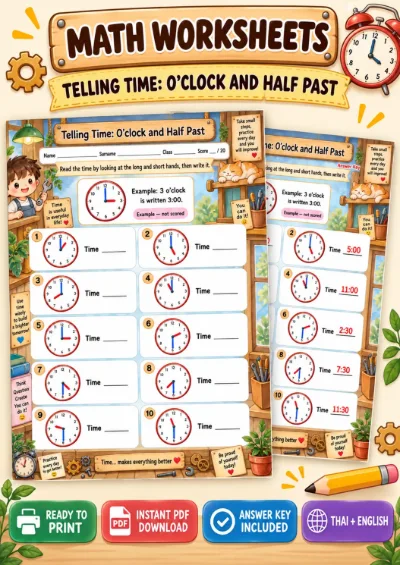
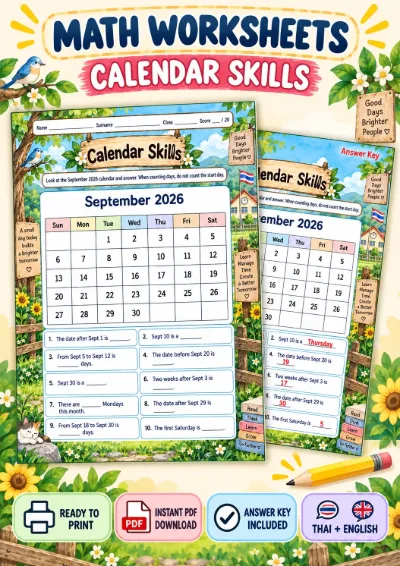
- Maths: Time, Clocks and Calendar, followed by Telling Time: O'clock and Half Past, or Calendar Skills
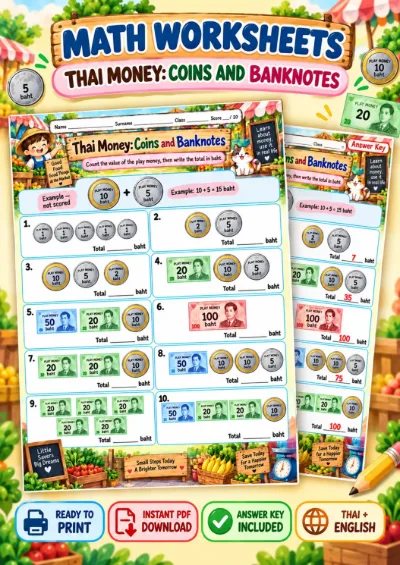
- Maths: Coin Market: Coins and Banknotes, followed by Thai Money: Coins and Banknotes
- Science: Mini Lab: Solids, Liquids and Gases, followed by Solids, Liquids and Gases
- Science: Earth Guardians: Sorting Waste, followed by Waste Sorting
- Thai: Word Detective Part 2: final consonants kong, kon, kom, koei and keo has no matching worksheet yet. Have children write three of their own words for each group in their exercise books, then swap with a partner to check
Four things that waste good slides
The usual problems with slides are not in the slides themselves, but in how they are shown.
- Clicking straight through like a cartoon: children enjoy it but do not think. Stop at the points you noted before the lesson
- Reading the text on every slide aloud: children listen to you instead of looking at the picture. Ask before you explain
- Dropping the missions when time runs short: the missions are what tell you whether children understand. If something has to go, cut the opening slides instead
- Moving the worksheet to tomorrow: learning from pictures fades fast. Half a worksheet in the same lesson beats a full one the next day
Classrooms with one screen, or none
A room with a single TV or projector can use everything above. Have the back rows move to sit on the floor at the front for the missions. If there is no screen at all, print two or three idea slides and the missions you use as checks as large pictures for the board, and follow the same steps. The value of the slides is in the pictures and the questions, not in clicking to the next page.
Worksheets from this article

Grades 1–3 (P.1–P.3)
Time, Clocks and Calendar (Teaching Media)
Grades 1–3 (P.1–P.3)
Telling Time: O'clock and Half Past - Read the Clock
Grades 1–3 (P.1–P.3)
Calendar Skills - Read a Calendar

Grades 1–3 (P.1–P.3)
Coin Market - Coins and Banknotes (Teaching Media)
Grades 1–3 (P.1–P.3)
Thai Money: Coins and Banknotes - Count Money

Grades 1–3 (P.1–P.3)